| | --- |
| | pretty_name: shapesplat |
| | size_categories: |
| | - 10K<n<100K |
| | extra_gated_prompt: | |
| | If you find our method/dataset helpful, please consider citing our paper: |
| | |
| | @inproceedings{ma2025large, |
| | title={A Large-Scale Dataset of Gaussian Splats and Their Self-Supervised Pretraining}, |
| | author={Ma, Qi and Li, Yue and Ren, Bin and Sebe, Nicu and Konukoglu, Ender and Gevers, Theo and Van Gool, Luc and Paudel, Danda Pani}, |
| | booktitle={2025 International Conference on 3DV}, |
| | pages={145--155}, |
| | year={2025}, |
| | organization={IEEE} |
| | } |
| | --- |
| | |
| | # 2D Image/Depth/Normal Rendering of ShapeNet |
| |
|
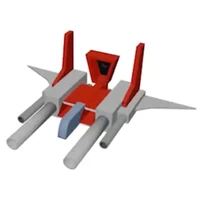
| | The image/depth/normal renders are in the [ShapeSplat_2d_renders](https://huggingface.co/datasets/ShapeSplats/sharing/tree/main/ShapeSplat_2d_renders) folder, and the camera parameters are saved in per-object `transforms.json` in the [ShapeSplat_render_cams](https://huggingface.co/datasets/ShapeSplats/sharing/tree/main/ShapeSplat_render_cams) folder. For 2D rendering, we save per-view frame information in the `transforms.json` for each object, in the format of: |
| |
|
| | ```json |
| | { |
| | "camera_angle_x": 0.6911112070083618, |
| | "frames": [ |
| | { |
| | "file_path": "image/000", |
| | "rotation": 0.08726646259971647, |
| | "transform_matrix": [ |
| | [ |
| | 1.0, 0.0, 0.0, 0.0 |
| | ], |
| | [ |
| | 0.0, 0.5662031769752502, -0.8242656588554382, -1.0555751323699951 |
| | ], |
| | [ |
| | 0.0, 0.8242655992507935, 0.5662031769752502, 0.7250939011573792 |
| | ], |
| | [ |
| | 0.0, 0.0, 0.0, 1.0 |
| | ] |
| | ] |
| | }, |
| | { // ... more frames for this object |
| | ``` |
| |
|
| | ## Camera Intrinsics |
| |
|
| | The camera intrinsics are calculated from the `camera_angle_x` field in the transforms JSON file: |
| |
|
| | ```python |
| | def get_intrinsics(camera_angle_x: float, width: int = 400, height: int = 400): |
| | fx = width / (2 * np.tan(camera_angle_x / 2)) |
| | fy = fx # Square pixels assumed |
| | cx = width / 2.0 # Principal point at center |
| | cy = height / 2.0 |
| | |
| | K = [[fx, 0, cx], |
| | [ 0, fy, cy], |
| | [ 0, 0, 1]] |
| | ``` |
| |
|
| | **Output:** |
| | - Image dimensions: 400×400 |
| | - Camera FOV: 39.60° |
| | - Intrinsics matrix: |
| | ``` |
| | [[555.56 0 200 ] |
| | [ 0 555.56 200 ] |
| | [ 0 0 1 ]] |
| | ``` |
| |
|
| | ## Image Reading |
| |
|
| | **RGB Images:** |
| | - Format: PNG files (000.png, 001.png, ...) |
| | - Image in RGBA format (with alpha channel) |
| | - Alpha channel cam be used for background masking |
| |
|
| | ## Depth Reading |
| |
|
| | **Depth Maps:** |
| | - Format: 4-channel RGBA PNG files from Blender ([frame_id]0001.png, e.g., 0000001.png, 0010001.png, ...) |
| | - Note: Only the first channel (R) contains depth data |
| | - Blender saves depth as inverted values: [0,8] meters → [1,0] normalized |
| | - Script remaps back to linear depth: `depth_linear = depth_min + (1.0 - depth_img) * (depth_max - depth_min)` |
| | - Background pixels have depth values close to 1.0 (far plane) |
| |
|
| | **Depth Reading:** |
| | ```python |
| | # Extract first channel from 4-channel depth |
| | depth_img = depth_img_raw[:, :, 0] |
| | |
| | # Convert uint8 depth to float normalized to [0, 1] |
| | depth_img = depth_img.astype(np.float32) / 255.0 |
| | |
| | # Note: Blender remaps [0, 8] to [1, 0] |
| | # Remap depth values from [1, 0] back to [depth_min, depth_max] |
| | depth_min, depth_max = 0, 8 |
| | depth_linear = depth_min + (1.0 - depth_img) * (depth_max - depth_min) |
| | |
| | valid_mask = (depth_linear > 0.001) & (depth_linear < depth_max - 0.001) |
| | background_mask = depth_img > 0.999 |
| | |
| | valid_mask = valid_mask & ~background_mask |
| | ``` |
| |
|
| | # Coordinate Alignment to 3DGS and OBJ Mesh |
| |
|
| | Due to coordinate inconsistency at the beginning, the poses of the 2D renderings saved in `frame['transform_matrix']` is not aligned to the world coordinate of the 3DGS object and the OBJ mesh. |
| |
|
| | The following process are needed to convert the 'transform_matrix' key in order to align with the OBJ object mesh. |
| | ``` |
| | def convert_cam_coords(transform_matrix): |
| | P = np.array([ |
| | [1, 0, 0, 0], |
| | [0, 0, 1, 0], |
| | [0, -1, 0, 0], |
| | [0, 0, 0, 1] |
| | ]) |
| | |
| | C = np.array([ |
| | [1, 0, 0, 0], |
| | [0, -1, 0, 0], |
| | [0, 0, -1, 0], |
| | [0, 0, 0, 1] |
| | ]) |
| | |
| | new_transform_matrix = P @ transform_matrix @ C |
| | return new_transform_matrix |
| | |
| | transform_matrix = np.array(frame['transform_matrix']) |
| | transform_matrix = convert_cam_coords(transform_matrix) |
| | ``` |
| | After this process, the 2D rendering results will be aligned to the world coordinate as in the original shapenet object, i.e., point_cloud.obj file. For example, the fused depth maps with the processed poses with its point_cloud.obj together: |
| | |
| | <img width="450" height="305" alt="Image" src="https://github.com/user-attachments/assets/ad210a02-420e-442a-a7b7-f54dd0b2b618" /> |
| | |
| | Additionally, there is misalignment between the released 3DGS object and the corresponding point_cloud.obj file. |
| | |
| | To align the 2D rendering results with the released 3DGS, please use the following conversion instead: |
| | ``` |
| | # align to the 3dgs object coordinates |
| | def convert_cam_coords(transform_matrix): |
| | C = np.array([ |
| | [1, 0, 0, 0], |
| | [0, -1, 0, 0], |
| | [0, 0, -1, 0], |
| | [0, 0, 0, 1] |
| | ]) |
| | |
| | new_transform_matrix = transform_matrix @ C |
| | return new_transform_matrix |
| | ``` |